Asset write-offs
without the paperwork
CoremainTech prepares the write-off report, TEO, order, handover report and summary in minutes. Assets, the commission and company details are already in the database, and documents are saved as DOCX and PDF.
CoremainTech in action
A short video on how the program prepares write-off reports, TEO, orders and summaries.
Everything for write-offs in one app
From the asset card to a signed set of documents. No spreadsheets that don't add up and no retyping.
A complete set of documents
Write-off report, TEO, order, handover report and summary. Output the whole set in one click, with automatic numbering.
Asset register
Cards with photos, attachments and a QR code. Statuses, filters and bulk actions.
Import from 1C and other programs
Exports from 1C or another accounting program, CSV and XLSX spreadsheets. Headers and encoding are detected automatically, and you see a preview before anything is saved.
“After write-off”
Disposal, sale or dismantling. The reason, conclusion and TEO match the route you choose.
Three languages
Interface in Ukrainian, English and Polish. The document language can be chosen separately.
Your templates
We'll set the app up for your company's forms: just send us your document templates. Setup takes 3 days.
Backups
Automatic backups, export for moving to another PC, and recovery after a crash. A damaged file is never overwritten.
Four steps to your first report
The license is tied to your computer and checked without internet.
Install
Run the CoremainTech installer for Windows and choose a language.
Send your PC code
The app shows a code like XXXX-XXXX-…. Send it to us.
Enter the key
After payment you'll receive an activation key. Paste it into the app.
Get to work
Fill in your company details and commission once, then create documents.
Full training included with the license
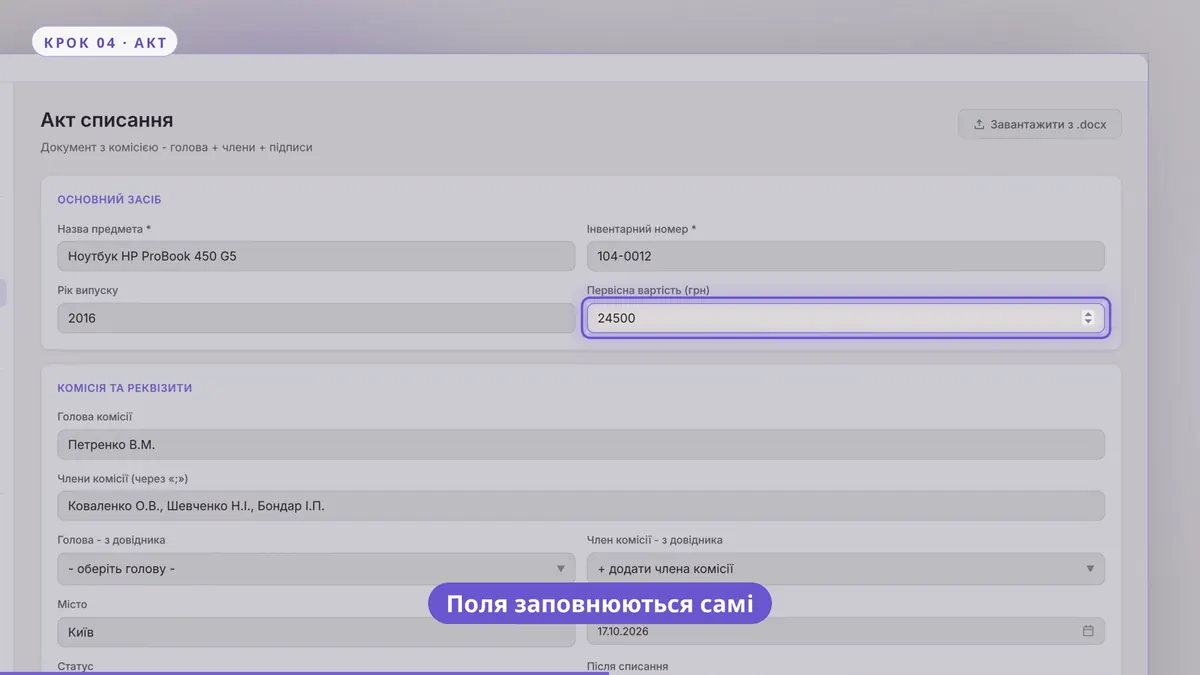
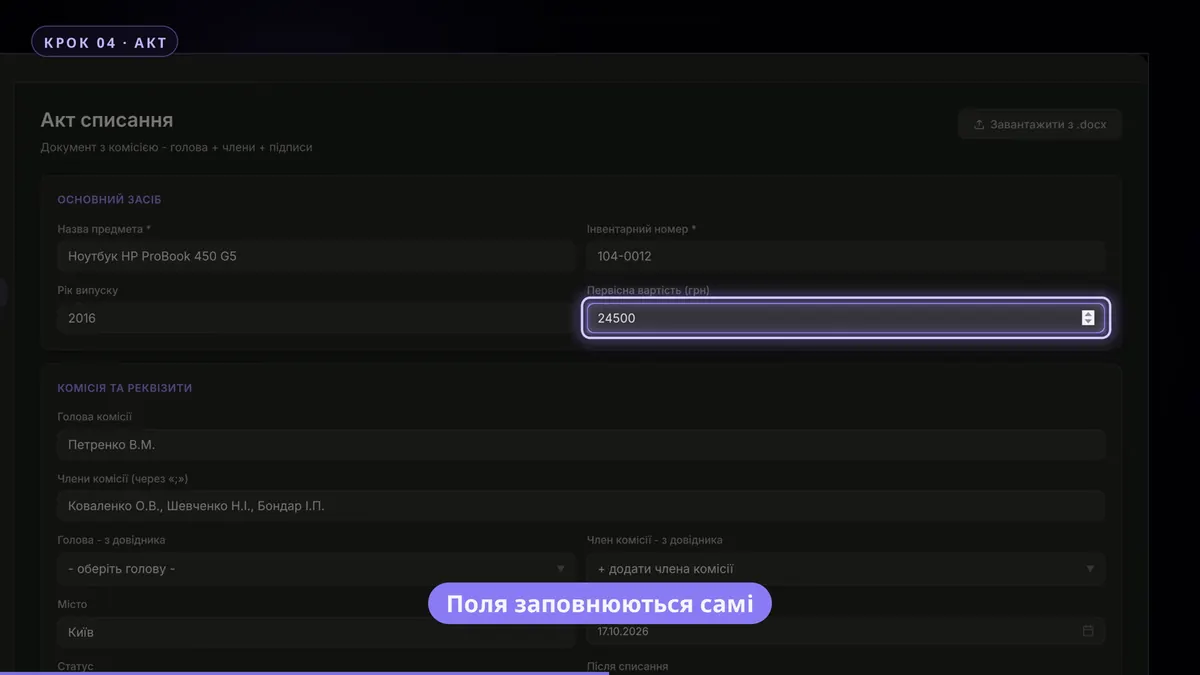
After purchase you get a video that walks through the program step by step: where everything is, how to set it up and how to prepare your first set of documents.
- Step by step: from installation to your first report
- Watch at your own pace and come back any time
- Sent together with your activation key
- 01Installation and license activation
- 02Company details, commission and signatories
- 03Asset register and import from 1C and spreadsheets
- 04Write-off report, TEO, order and handover report
- 05Reports, printing and saving to PDF
- 06Backups and moving to another PC
- 07AI assistant: drafts and data actions
Your data goes nowhere
CoremainTech has no server and no cloud. The database lives in your user profile and is encrypted with a Windows key.
- Database encryptionThe data file won't open on another computer or for another user.
- Offline licenseThe key is verified by a digital signature, without internet.
- Crash recoveryThere's a .bak copy, and a damaged file is kept separately rather than overwritten.
 CoremainTech · License
| PC code | 7F3A-91C2-0B4E-D6A8-52F1 |
| Valid until | 31.12.2027, 23:59 |
| AI assistant | Enabled |
| Database | Encrypted |
| Last backup | today, 09:41 |
The AI assistant writes drafts for you
Write-off reasons, conclusions and TEO for every asset, document translation and a chat assistant. Without AI, all manual document work still works fully.
- Drafts of reasons and conclusionsEven for bulk write-offs: several assets in one request.
- Changes only after you confirmThe assistant shows every action as a card with a preview. It can be cancelled.
- PrivacyThe company name, commission members and signatory are never sent to the AI.
Simple pricing with no hidden fees
One license per computer. The longer the term, the cheaper each month.
3 months
- All documents and the asset register
- Import from 1C and other programs
- Three languages, backups
- Video tutorial and activation help
6 months
- All documents and the asset register
- Import from 1C and other programs
- Three languages, backups
- Video tutorial and activation help
1 year
- All documents and the asset register
- Import from 1C and other programs
- Three languages, backups
- Video tutorial and activation help
Need a trial key for 24 hours or 3 days? More about payment
Frequently asked questions
Do I need internet?
No. Documents, the register and the license check all work offline. Internet is only needed for the AI assistant, if you turn it on.
What happens when the license expires?
The activation screen appears. All your data stays in place. Enter a new key and keep working without restarting.
Can I move the app to another computer?
Yes. Export a backup, install the app on the new PC and send us the new PC code: we'll reissue the key.
Ready to try CoremainTech?
Write or call us: we'll help you pick a plan, issue a trial key and help with activation.